The NIS2 Directive has been law in Germany since 6 December 2025. Six months later, the issue is really starting to capture the attention of our clients’ senior management – and there is a reason for that.
In recent weeks, we have been asked more and more frequently about an issue that is dealt with only in theoretical terms in the vast majority of NIS2 articles online: network segmentation. What exactly does this requirement entail in practical terms? Which zones do you need? What hardware? Where do medium-sized companies typically go wrong?
The German NIS2 Implementation Act has been in force since 6 December 2025. The fact that it is only now, six months later, beginning to take full effect is down to three factors:
Firstly, the BSI registration portal went live in January 2026. Around 29,500 companies in Germany are directly affected – and must self-assess, register and maintain verifiable cybersecurity measures. There is no transition period, nor is there any notification from the authorities as to whether a company is affected. This obligation rests entirely with the company.
Secondly, the penalties are real: Violations carry fines of up to 10 million euros or 2 per cent of the previous year’s global turnover. Added to this is the personal liability of the management. BSI President Claudia Plattner put it clearly: with NIS2, cybersecurity has become a matter for top management.
Thirdly, the authorities are only just beginning to organise themselves. In mid-March 2026, the BSI published its NIS 2 checklist, with FAQs and sector-specific guidance being released on an ongoing basis. In other words: the tools used for compliance checks have only been specifically available to authorities and companies for a few weeks. Those who act now are ahead of the game – those who wait risk not only fines but also frantic last-minute projects.
NIS2 requires ten risk management measures. One of these – and the key one for our topic – is network segmentation.
In a nutshell: your network can no longer be a vast open space where every client can access every system. You must divide it into zones based on risk, draw clear boundaries between trusted and less trusted areas, and limit data traffic between these zones to what is strictly necessary.
Among other things, NIS2 requires:
This may sound very theoretical at first. In practice, it means: every printer, every IP camera, every server and every switch needs a clearly defined place on the network – and the permissions between these locations must be documented, enforced and verifiable.
The structure of a NIS2 project has been deliberately designed not for large corporations, but for medium-sized businesses with 20 to 250 employees – in other words, precisely the target group that is facing such requirements for the first time as a result of NIS2.
Nothing works without a complete inventory. Every project starts with the question: what is actually on your network? You’d be surprised how often devices are found that nobody knew existed anymore – old NAS systems, forgotten test servers, IP telephone systems, IoT cameras from the last refurbishment. Each of these devices is a potential point of entry.
Specifically: all end devices, servers, printers, IoT and OT components, switches, access points and firewalls are recorded – along with the software running on them and its version. This list is also a NIS2 requirement. Without it, you cannot carry out a risk assessment.
Which system is critical to business operations? What contains data requiring protection? Which is particularly vulnerable (perhaps because it has outdated firmware)? This assessment determines which zone a system belongs to.
In the simplest case, a classification into high / medium / low is sufficient – the important thing is that the assessment is documented in a comprehensible manner. Audits check not only the result, but also the process leading up to it.
This is where things get specific. For most SMEs, a five-zone model has proven to be practical:
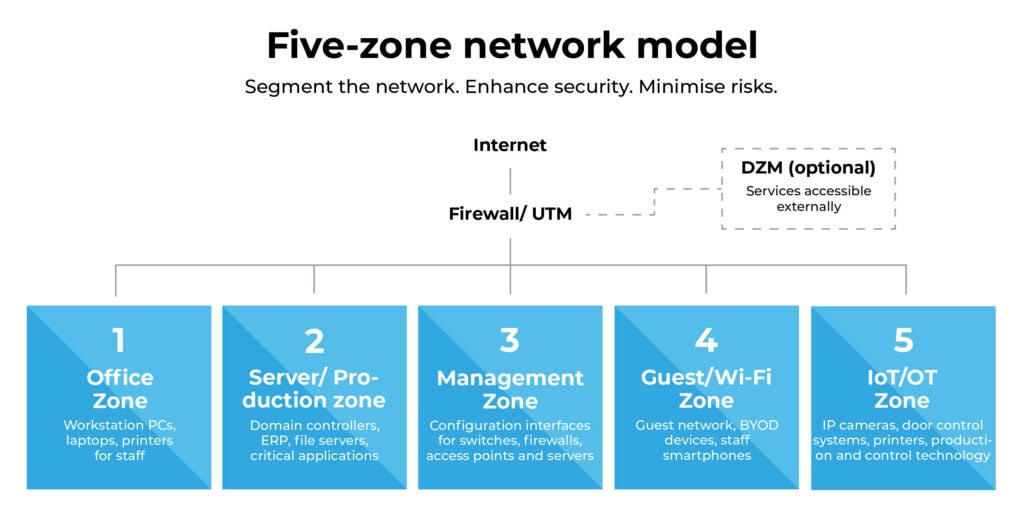
Depending on the industry, specialised zones may be added – such as a DMZ for externally accessible services or an isolated backup zone. In manufacturing facilities, the separation of IT and OT networks is practically always mandatory.
Each zone is assigned its own VLANs and IP ranges. This may sound trivial, but it is often precisely where things go wrong in mature networks: subnets overlap, VLAN IDs are duplicated, and nobody knows what is actually behind VLAN 17 anymore.
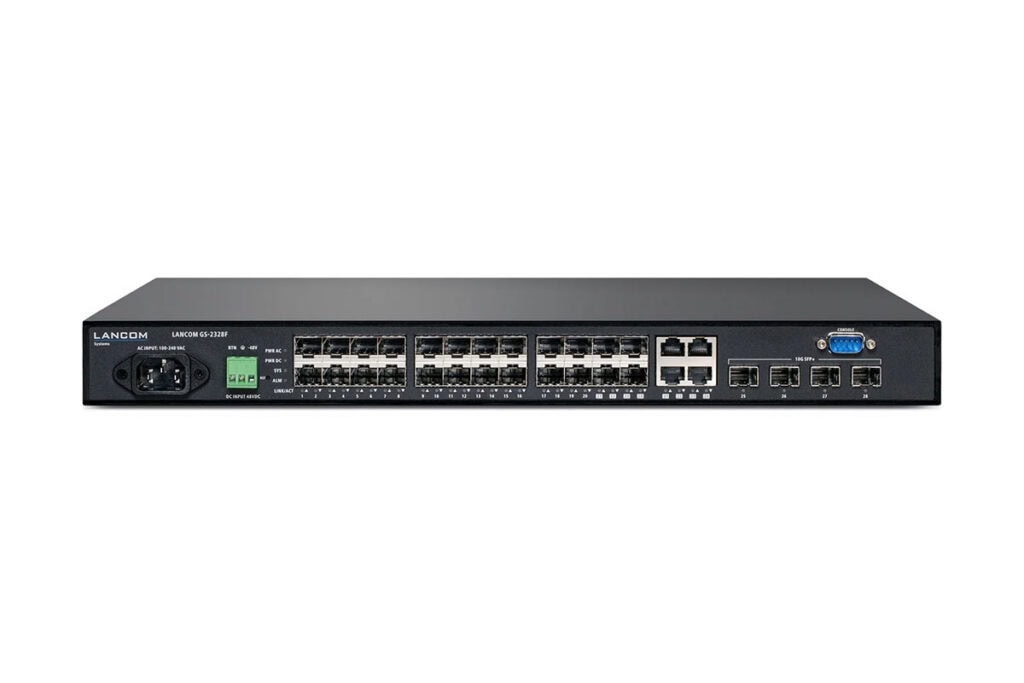
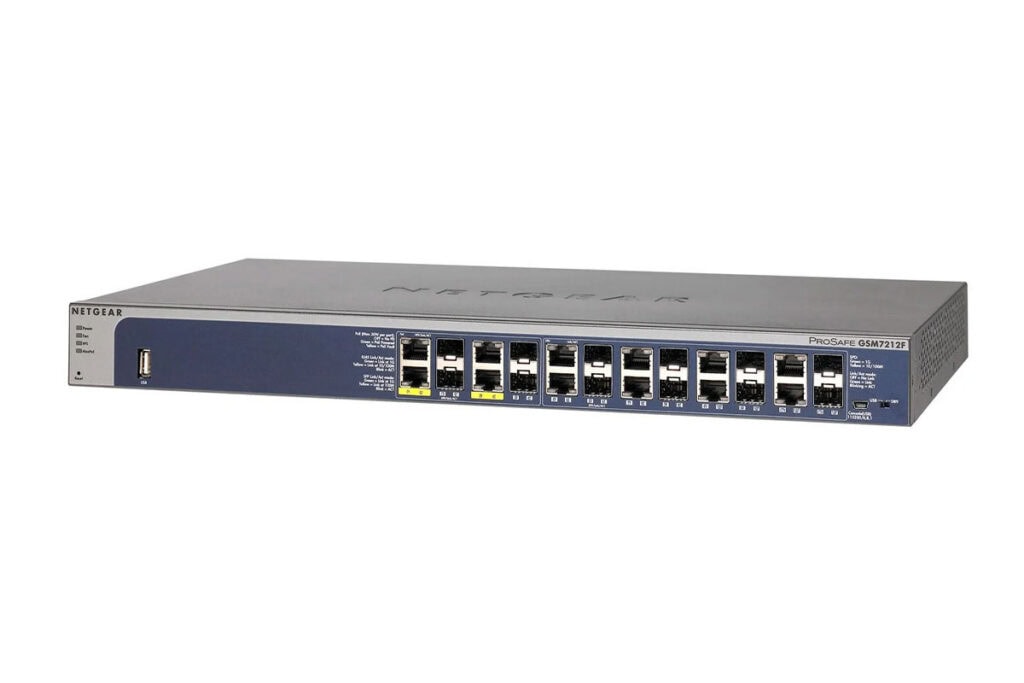
We recommend managed switches that can map VLANs cleanly – often from the R&S LANCOM or NETGEAR range, depending on requirements and budget. Unmanaged switches do not process VLAN tags. They are therefore not an option wherever multiple zones are to converge on a single switch. In places where only devices from a single zone are connected – such as a small switch under the desk for two office PCs – they remain a safe choice.
This is where the real security benefit lies. VLANs alone provide only logical separation – without firewall rules between zones, segmentation is virtually worthless. A next-generation firewall, such as one from the SonicWall NSa or TZ series, handles this task as an inspection-enabled inter-VLAN router. We show how organisations can meet the requirements of NIS2 with SonicWall solutions in our blog post “How to achieve compliance with SonicWall”.
Rule of thumb: By default, everything is blocked between zones and only the connections that are truly necessary are enabled. Not the other way round. This is the core of the zero-trust concept and directly aligns with the NIS2 requirement to “restrict access to what is necessary”.
In practice, this means: Office PCs are allowed access to the file server, but not to the management VLAN. Printers are allowed to receive print jobs, but not to access the internet. The guest zone has no access whatsoever to internal systems, only to the internet – via the firewall, not directly.
This is the point that regularly leads to issues during NIS2 audits, because almost everyone underestimates it. The configuration interfaces of your switches, firewalls, access points, NAS systems and UPSs are the most attractive target of all for attackers – whoever gains access here controls the infrastructure. This is precisely why NIS2 explicitly requires administrative networks to be separated from the operational network.
In practical terms, this means: a separate VLAN, a separate IP range, and access only via a jump host with multi-factor authentication or via a dedicated admin workstation. No switch’s web interface should be accessible directly from an administrator’s office PC.
If it isn’t documented, it doesn’t exist for an auditor. You need an up-to-date network diagram, an overview of zones and VLANs, documented firewall rules, and a fixed timeframe within which to review their effectiveness. NIS2 mandates these reviews at fixed intervals – at least once a year is a reasonable benchmark.
NIS2-compliant segmentation stands or falls on the technology used. Three components are crucial for this:
Managed switches with VLAN functionality – depending on the project size and budget, we typically use R&S LANCOM or NETGEAR models; in production environments, we often also use SonicWall switches, which can be managed directly from the firewall.
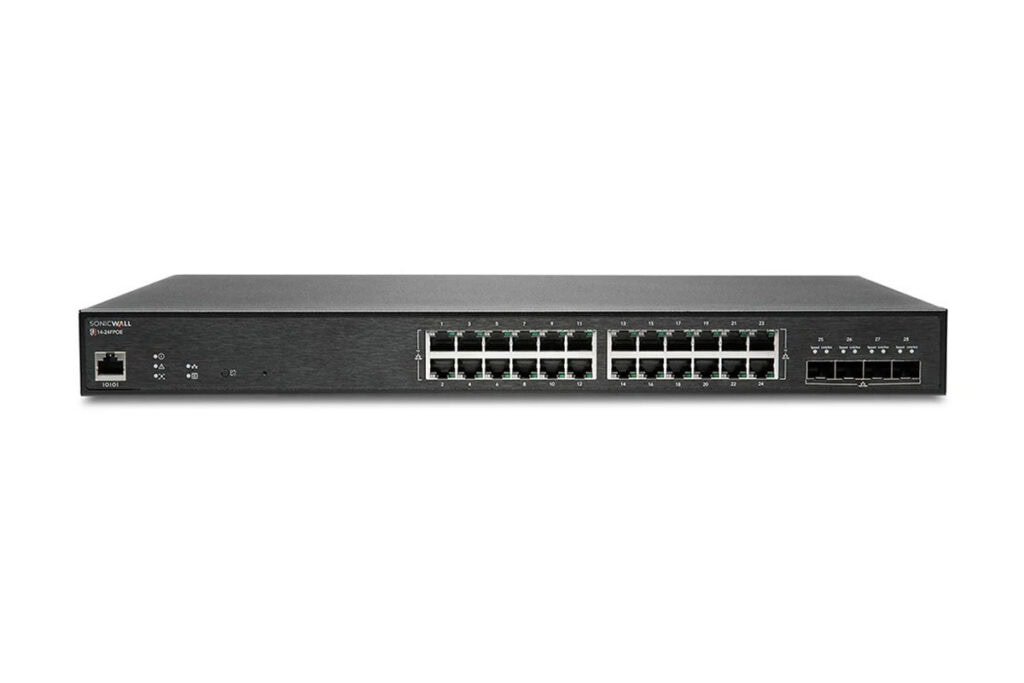
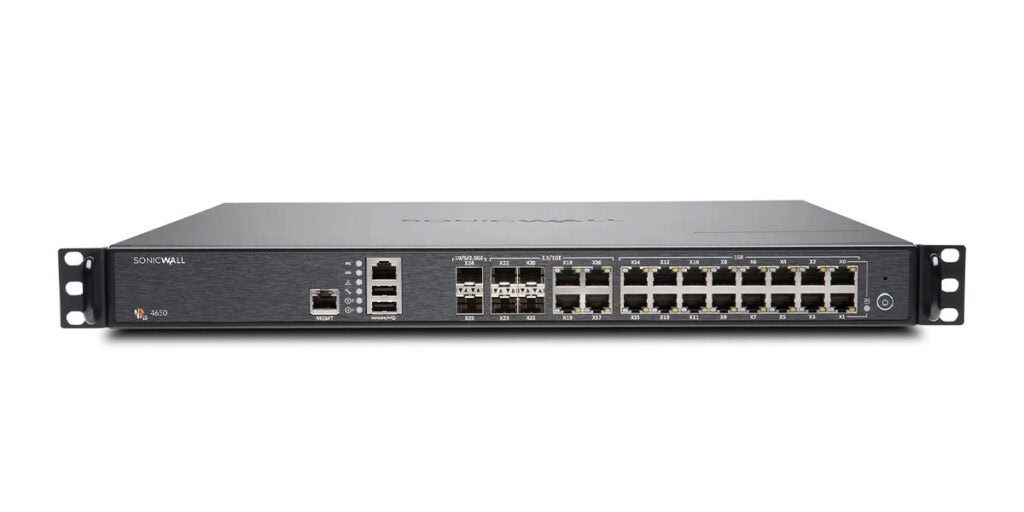
For those wishing to explore SonicWall’s capabilities in the NIS2 context in greater depth, we recommend our in-house guide, ‘Navigating NIS2: SonicWall’s Guide to Compliance’ – a free document that concisely summarises the key requirements and suitable solutions.
Organisations that successfully pass a NIS2 audit generally have the following documentation available in a complete and traceable form:
The BSI provides a range of checklists and one-page guides at bsi.bund.de, which we highly recommend for your preparation.
The directive is already enshrined in law and the authorities are preparing to implement it. At the same time, the effort required to achieve proper network segmentation increases if inventories are missing and complex structures are not streamlined.
If you are unsure where your company stands with regard to NIS2 or how to achieve your network segmentation goals in a practical way: get in touch with us. We offer a free initial consultation on NIS2 network segmentation, during which we will jointly assess the current situation so that you know where you stand.