For small and medium-sized businesses, a Network Attached Storage (NAS) has long been more than just a network drive in a server rack. When properly configured, a QNAP NAS fulfils three roles simultaneously: central file server, automated backup centre and platform for virtual machines and containers
In practice, however, we regularly find that devices are incorrectly sized or purchased with unrealistic expectations. Snapshots are mistaken for backups, RAID is mistaken for data protection, and nobody checks the power consumption.
Before we get into the hardware, it’s worth taking a look at the operating system, as this is where the most important architectural decision is made. QNAP offers two systems:
Our rule of thumb: when it comes to traditional file storage and backup on a moderate budget, QTS is the pragmatic choice. If data integrity, compliance or intensive virtualisation are the priority – and sufficient ECC RAM is available – QuTS hero really comes into its own. Important: switching between the two systems requires the data volumes to be wiped.
The core function remains centralised, secure file storage – as a network drive on Windows and macOS, with user and permissions management, integration with Active Directory, and fast network interfaces, which today start at 2.5GbE and go up to 25GbE.
Two terms are regularly confused here, with costly consequences:
RAID overhead must also be factored into storage planning. Take a 12-bay system as an example: 12 hard drives at 8 TB each give a gross capacity of 96 TB. In a RAID 6 configuration (two parity drives, capable of withstanding the failure of up to two drives), ten of these drives are available as usable capacity – that is, around 80 TB gross, which amounts to approximately 72 TB in practice after formatting. Anyone planning based on gross figures from data sheets can easily miscalculate by a fifth (QNAP, RAID Types).
The recognised minimum requirement is 3-2-1: three copies of your data, on two different media or systems, one of which is stored at a different location. On the NAS, this is implemented using Hybrid Backup Sync (HBS 3), which automatically writes versioned backups to a second NAS, external storage devices or the cloud.
The most common planning error is underestimating the capacity of the backup destination. A sample calculation:
These 21 TB constitute the local backup (the second copy). You can create the third, external copy using a second NAS at a different location (via HBS 3 or Snapshot Replica, which only transfers changes), via rotating USB storage media, or via a cloud connection. Only then is the 3-2-1 rule fulfilled.
To protect against ransomware, QNAP offers two additional mechanisms: write-once, read-many (WORM) backups under QuTS hero, which cannot be overwritten or deleted within the retention period, and the air gap principle – the backup connection is only activated during the backup run and is otherwise disconnected, ensuring that malware cannot reach the backup medium.
Complete Windows or Linux machines run directly on the NAS via Virtualisation Station, whilst Container Station allows Docker and LXD microservices to be run. This means that a suitably sized NAS can replace a separate hypervisor host – for example, for a domain controller, a small database, a reverse proxy or test environments.
When it comes to real virtualisation workloads, the benefits of ZFS (Zettabyte File System) become particularly clear: if several VMs are created from the same template, QuTS hero’s inline deduplication significantly reduces storage requirements – QNAP cites a potential saving of up to 95% for 20 identical VMs. For I/O-intensive and latency-critical workloads (databases, VDI, many parallel VMs), it is not the gross capacity that is decisive, but the IOPS performance. This is where all-flash systems come into play; their advantage lies not in lower power consumption, but in massively higher random access rates with minimal latency.
To help you find your way around quickly, our QNAP NAS range is divided into two lines:
The following selection covers three typical requirement categories across both ranges – from compact entry-level models to all-flash enterprise systems.
| TS-253E-8G | TS-1264U-RP-8G | TS-h1090FU-7232P-64G | |
|---|---|---|---|
| Application class | Small team / Edge | SME all-rounder (rack) | Enterprise / All-flash |
| Form factor | Tower, 2-bay | 2U rack, 12-bay | 1U rack, 10-bay |
| Drives | 2× 3.5‘/2.5’ SATA + 2× M.2 NVMe | 12× 3.5‘/2.5’ SATA | 10× U.2 NVMe Gen4 / SATA SSD |
| CPU | Intel Celeron J6412, 4 cores (up to 2.6 GHz) | Intel Celeron N5095, 4 cores (up to 2.9 GHz) | AMD EPYC 7232P, 8 cores/16 threads (up to 3.2 GHz) |
| RAM | 8 GB | 8 GB (max. 16 GB) | 64 GB ECC (up to 1 TB) |
| Network | 2× 2,5GbE | 2× 2.5GbE + PCIe slot (10/25GbE) | 2× 25GbE SFP28 + 2× 2.5GbE |
| Operating system | QTS (optional QuTS hero/ZFS) | QTS, switchable to QuTS hero | QuTS hero (ZFS) |
| Power supply | external | 2× redundant 300 W | 2× redundant 550 W |
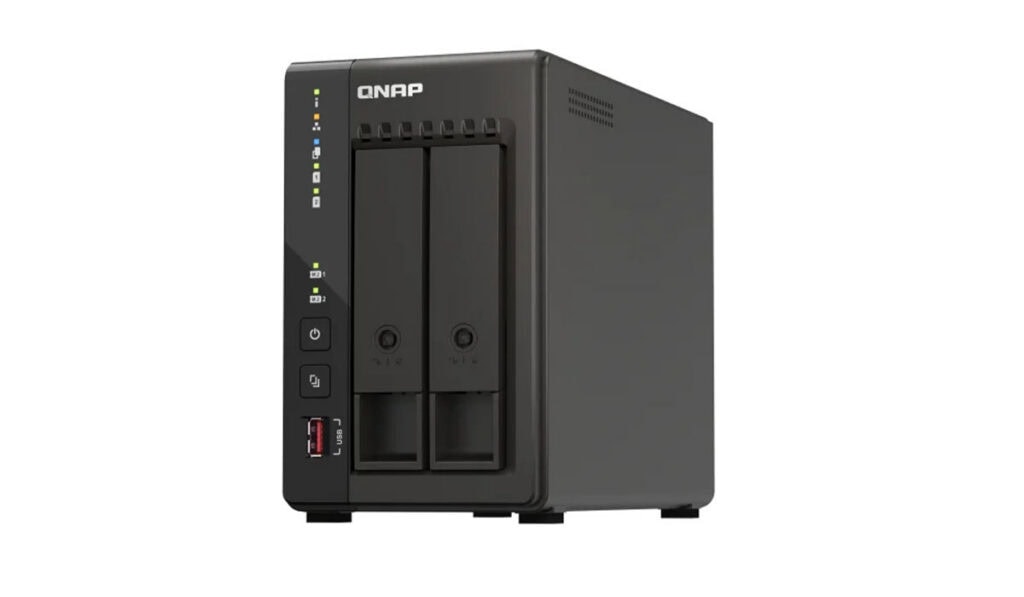
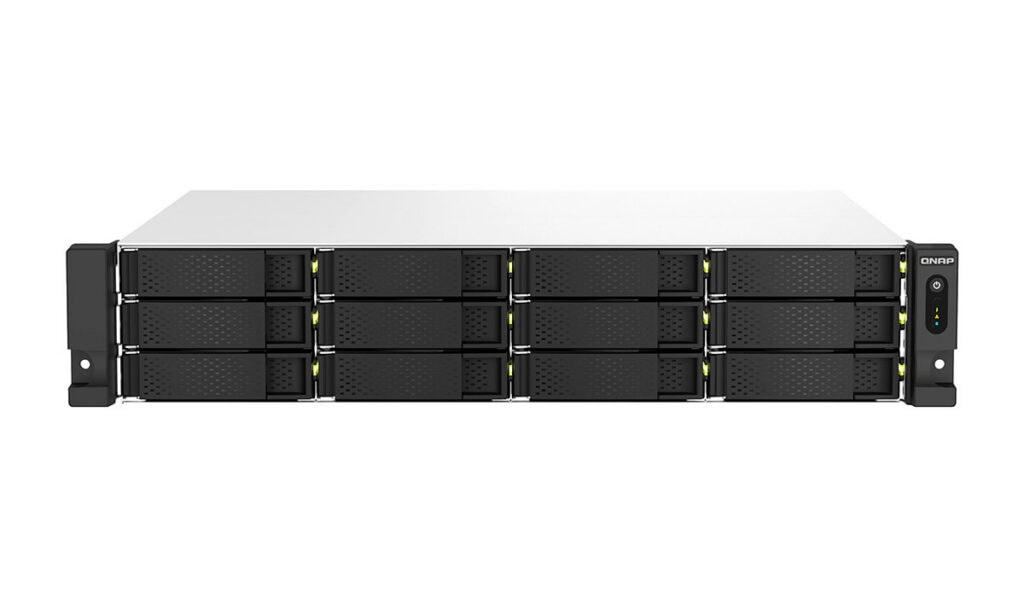
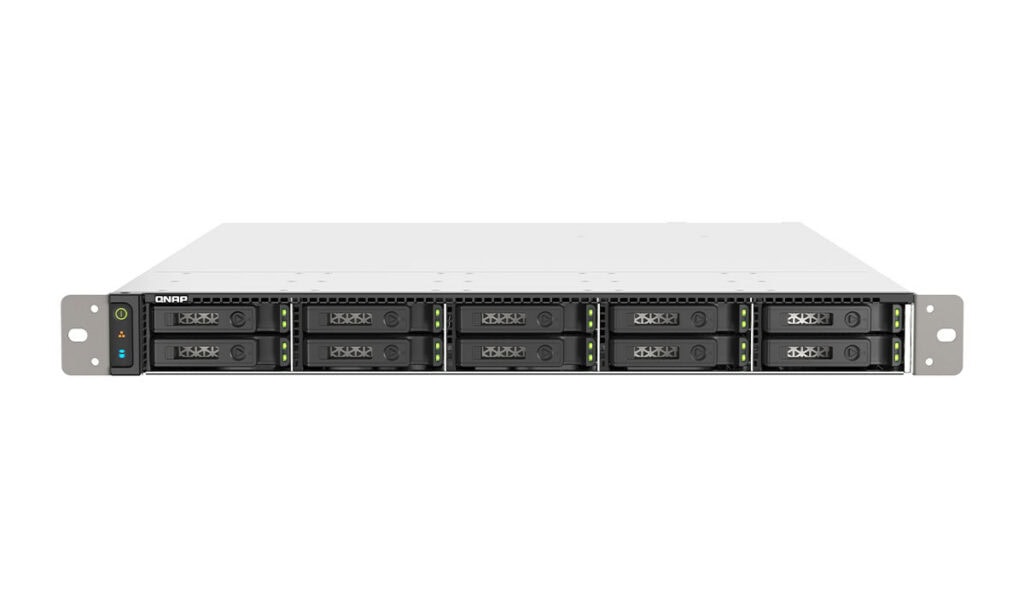
Continuous operation around the clock: For the following example calculation, we assume a commercial electricity rate of 0.27 €/kWh – which corresponds to the German average for commercial customers in 2026 – and 8,760 operating hours per year (Wattline, 2026).
The formula is simple:
>Annual consumption (kWh) = Power (W) ÷ 1,000 × 8,760 h
>Cost per year (€) = Annual consumption × 0.27 €
System (assuming continuous load) Power Annual consumption Annual electricity costs TS-253E (entry-level, 2 plates) ≈ 25 W 219 kWh ≈ 59 € TS-1264U-RP (SME, 12 drives) ≈ 90 W 788 kWh ≈ 213 € Traditional x86 tower server ≈ 150 W 1.314 kWh ≈ 355 €
The wattage figures are transparent estimates provided for illustrative purposes – your actual consumption depends on the configuration and load and can easily be measured using an energy meter. Based on the assumptions in this example calculation, the TS-1264U-RP has an annual energy consumption that is approximately 525 kWh lower than that of the x86 tower server used for comparison. Assuming an electricity price of 0.27 €/kWh, this equates to a reduction in electricity costs of around 142 € per year, or approximately 710 € over five years. Actual consumption depends on hardware configuration, utilisation and operating conditions.
Not every business needs a brand-new device. A backup destination in the next room or a NAS at a secondary site doesn’t have to be the latest generation. In such cases, tested, refurbished hardware is often the more cost-effective choice whilst the production system is being replaced. In our shop, you can purchase QNAP systems both as new and as refurbished/second-hand. This allows you to implement a 3-2-1 strategy without having to buy each of the three systems at full price. If you wish to replace older equipment, you can also trade it in via our IT hardware buy-back scheme.
Three points are crucial: choose the right operating system (QTS or QuTS hero) before populating the device. Set up your backup strategy properly according to the 3-2-1 rule – snapshots and RAID are no substitute; and select hardware based on the actual workload rather than on gross figures. From the compact TS-253E to the 12-bay workhorse TS-1264U-RP and the all-flash system TS-h1090FU, a cost-effective solution can be built for every requirement category.
Are you unsure which model and backup configuration are best suited to your environment? We’d be happy to help you choose the right NAS system for your specific requirements. Simply get in touch via our contact form or send us a product enquiry directly via our enquiry form.
No. RAID protects against the failure of individual hard drives and keeps the system running. The only defence against accidental deletion, ransomware or hardware failure is a proper backup following the 3-2-1 rule.
QTS is the classic, resource-efficient NAS operating system based on ext4. QuTS hero uses the ZFS file system and also offers checksums, self-healing, deduplication and WORM – but requires significantly more RAM to do so.
Rule of thumb: it should accommodate current user data plus expected growth plus several version backups. With deduplication and compression in HBS 3, the practical increase is around a factor of 1.5 compared to the primary data.
For backup destinations, secondary sites or test environments, the answer is often yes – certified second-hand equipment with a warranty significantly reduces overall costs, whilst the production system can be purchased new.